
iPhone & Apple Watch
Know exactly
where you are.
Instantly.
Your precise address, GPS coordinates, and location details, all in one place.
Download on theApp StoreAddress, coordinates, compass, and live sharing.
Built for real life
Made for the moments that matter.
One glance. Exact position. Keep moving.
- 01
Calling for help
“What’s your address?”
Your exact street address is on screen before they finish asking.
- 02
Meeting up
The pin just isn’t enough
Send a three-word code. They land on your exact 3 metre square.
- 03
Out with your team
Everyone, one map
Open a Squad Room and see every teammate live in one private place.
- 04
Places you return to
No need to remember it
Pin the spot once. Find it again whenever you need it.
- 05
On your wrist
Phone in your pocket
Your address and coordinates on Apple Watch. Glance and go.
- 06
Outdoors
Which way is north?
A live compass, elevation, and GPS accuracy, right alongside your position.
- 07
Precise coordinates
Someone needs the numbers
Read out your latitude and longitude, down to the decimal.
- 08
Every day
Same question, every time
Where am I right now? The answer is one glance away.
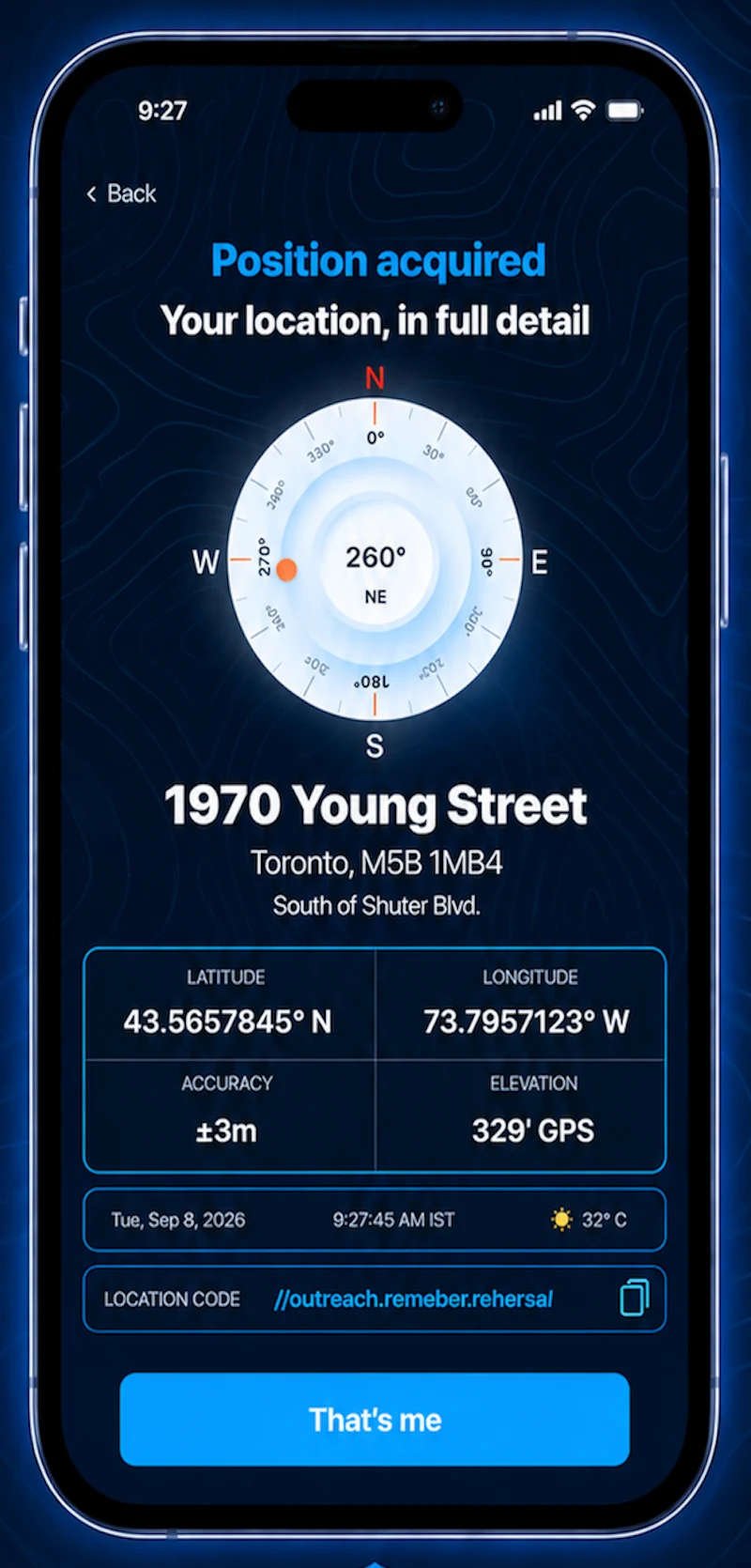
Address, coordinates and compass
Everything you need, the second you open it.
One screen shows exactly where you are and how to say it. Read it out, or share it in a tap.
- Position
- Your exact street address, city, and postal code
- Coordinates
- Live latitude and longitude, to seven decimals
- Accuracy
- GPS accuracy, so you know how precise the fix is
- Heading
- A live compass with degrees and direction
- Elevation
- Your current height above sea level
- Code
- A what3words code for your exact 3 metre square
- Share
- Send your location details to anyone in a tap
Apple Watch app
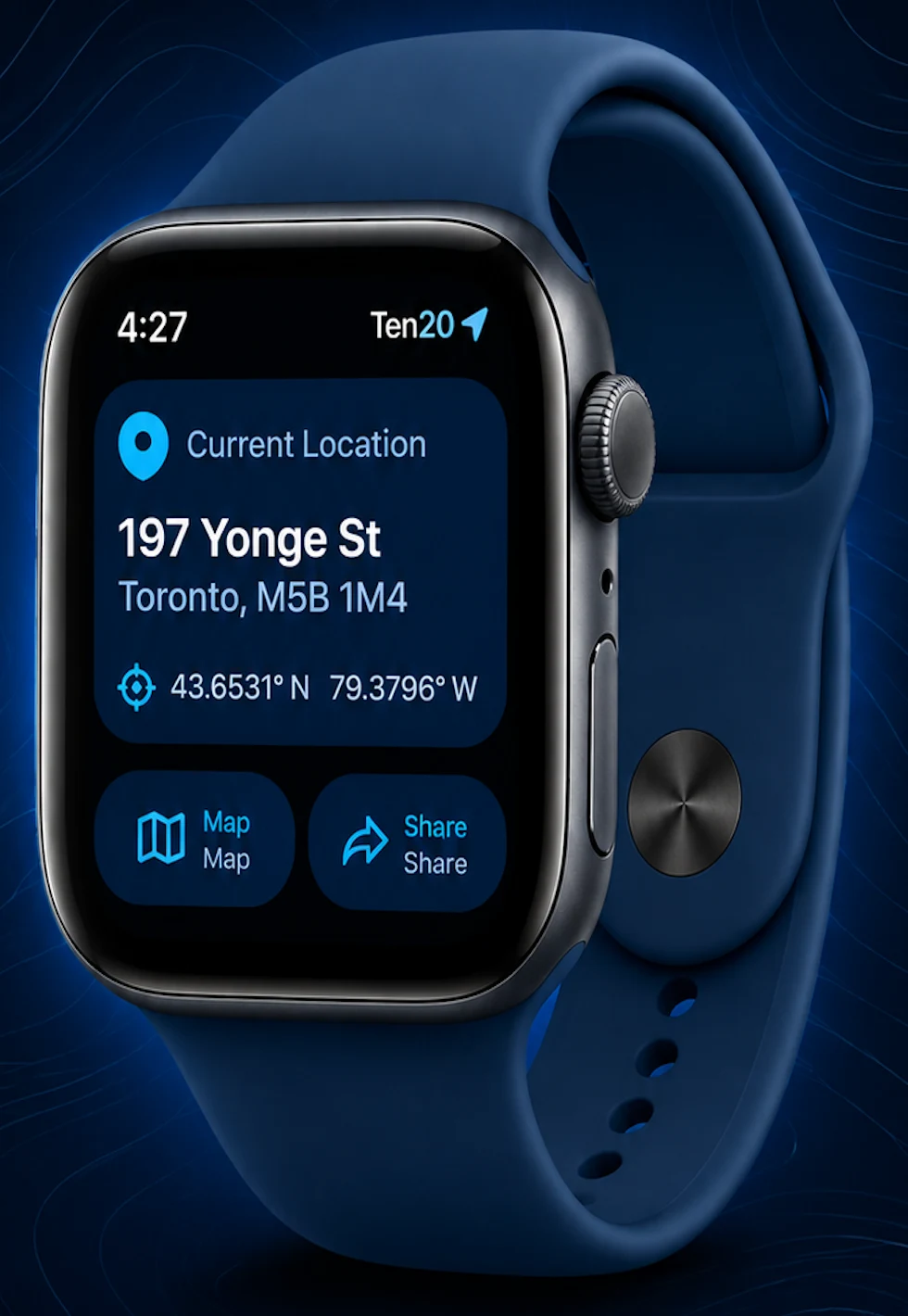
Your location. On your wrist.
Glance at Apple Watch for your essential location details, without reaching for your phone.
Current location
Your position the moment you raise your wrist
Full address
Street, city, and postal code
GPS coordinates
Latitude and longitude at a glance
Map
See where you are on the map
Share
Send your location straight from your wrist
Hands free
Leave your phone in your pocket
Three-word location code
The simplest way to tell others where you are.
Ten20 uses what3words to turn any spot into three simple words. Every 3 metre square on earth has its own code. No street address needed.
///index.home.raft
Send it. They open it. They find you.
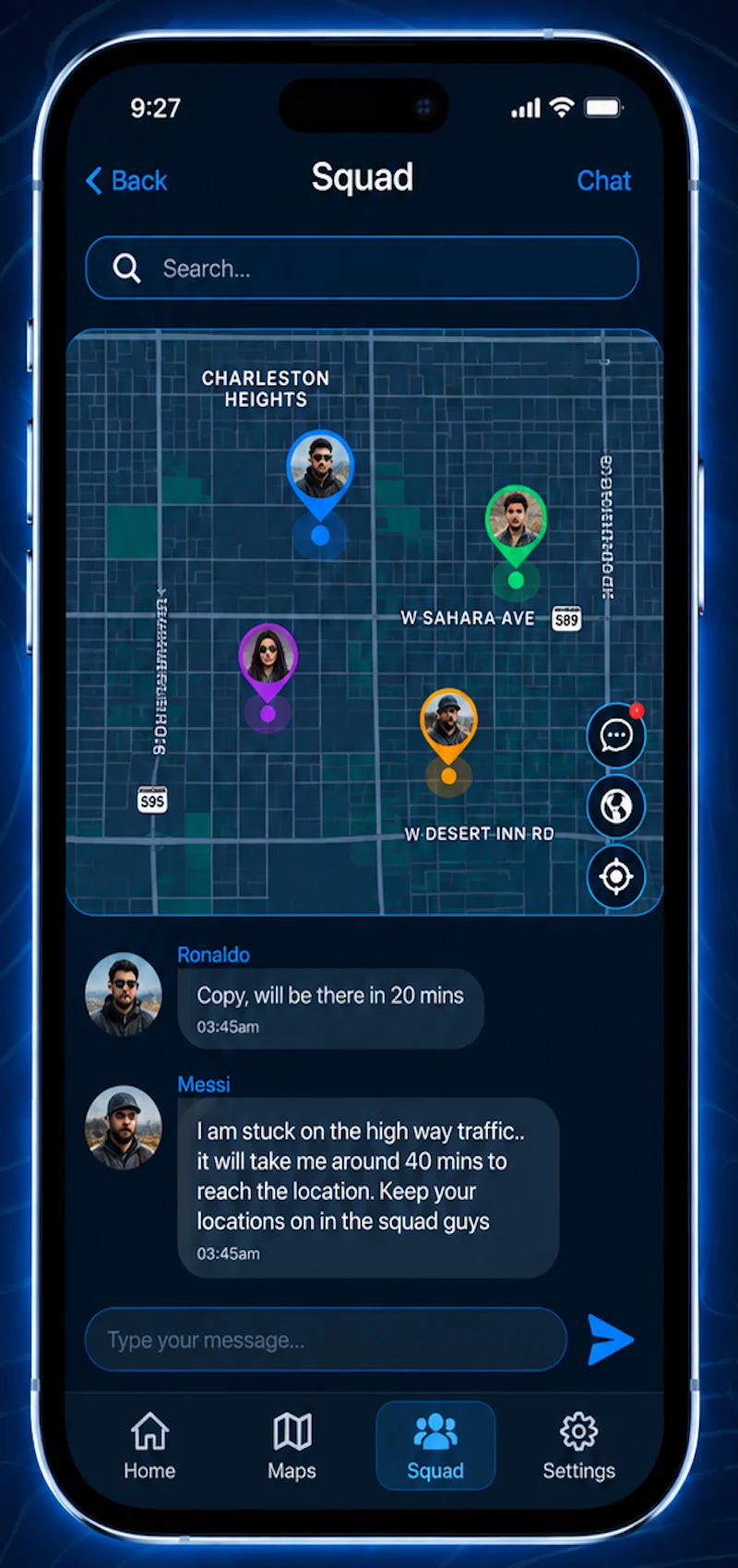
Squad Rooms
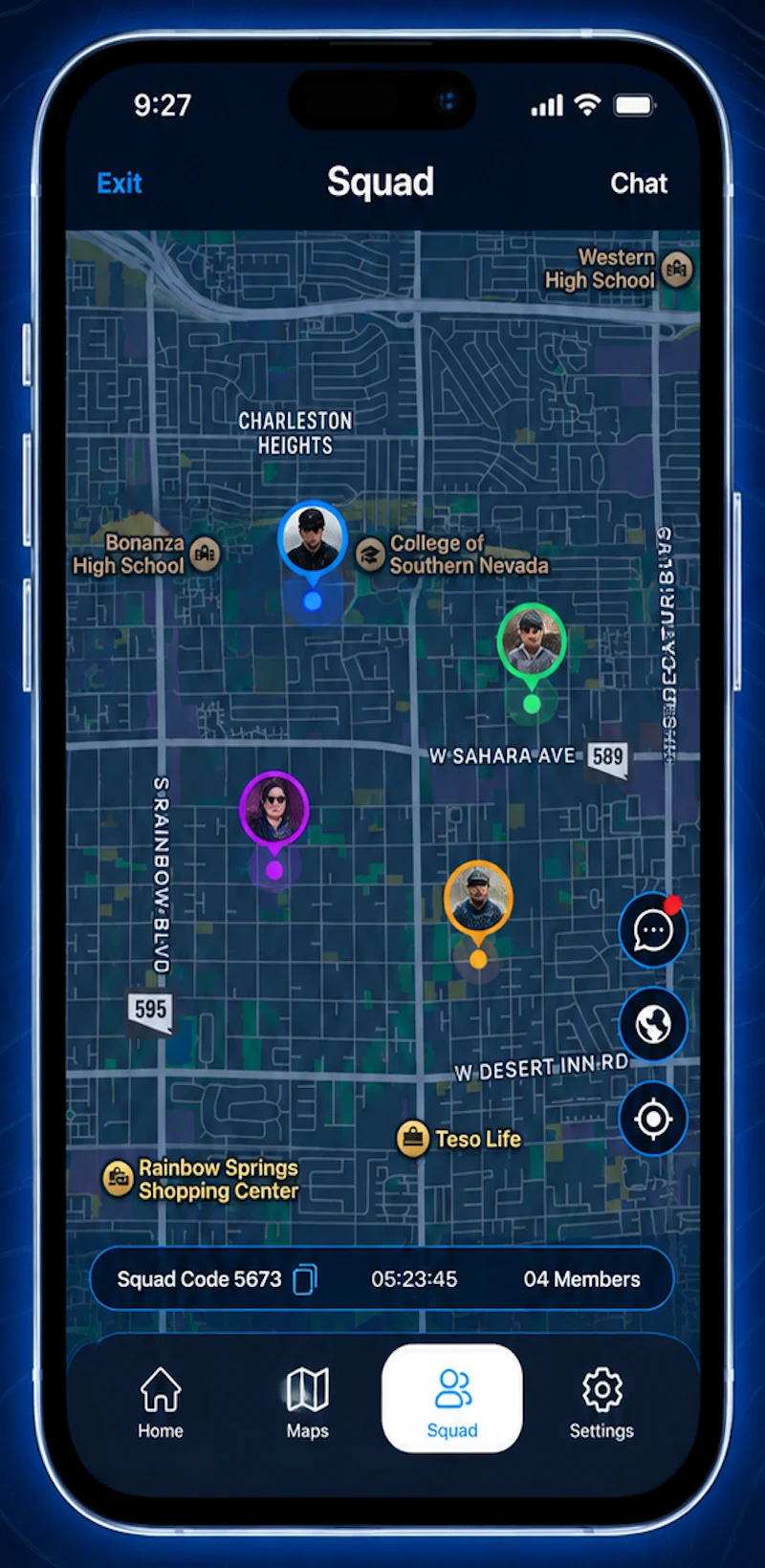
Put your whole team on one map.
Start a Squad Room and share the code. Everyone in it shows up live on one private map.
- Live positions for everyone in the room
- Join privately with a squad code
- Time-limited sharing that ends with the room
- Group chat built into the room
- See how many members have joined
- Recenter on yourself in one tap
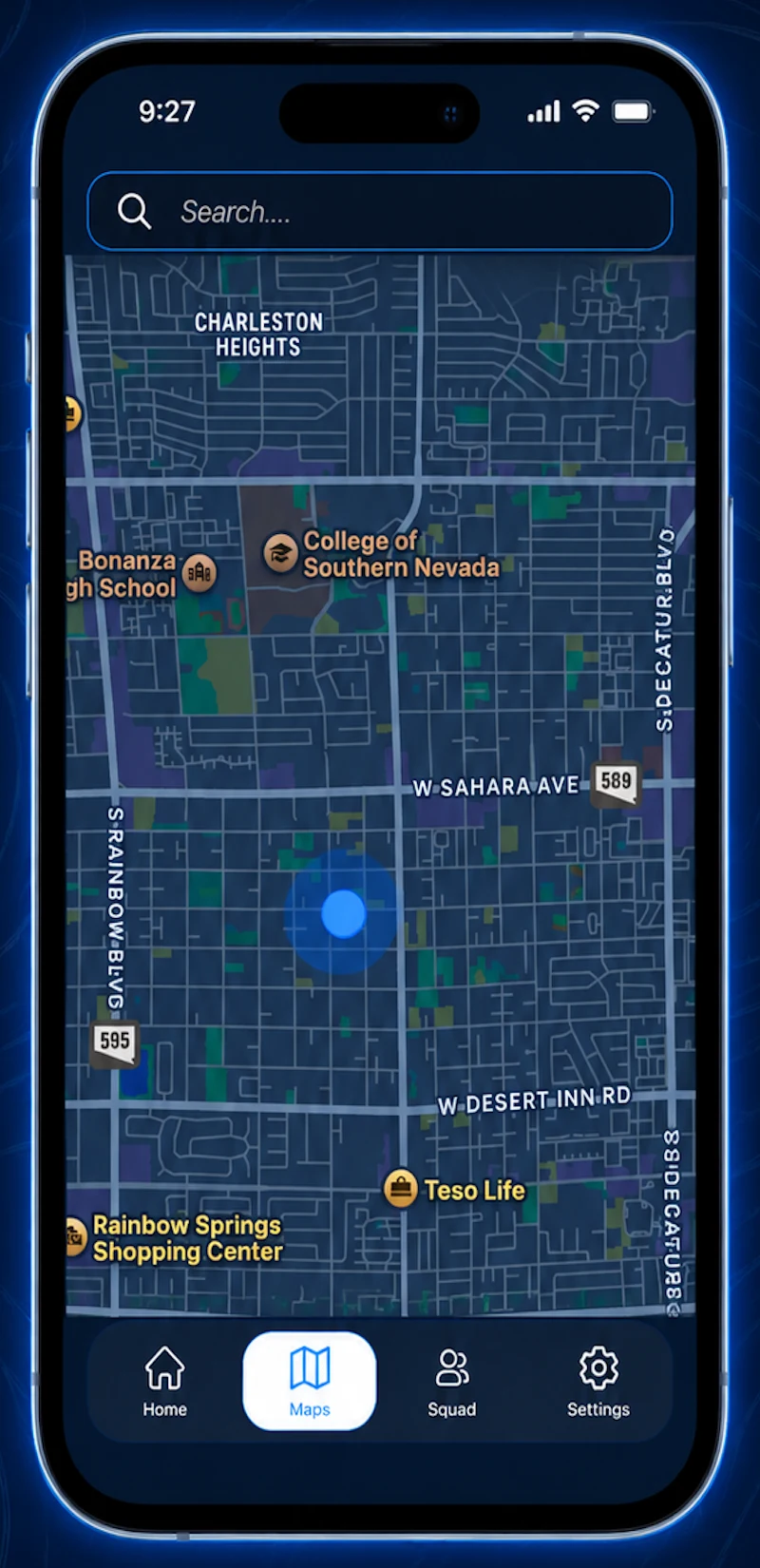
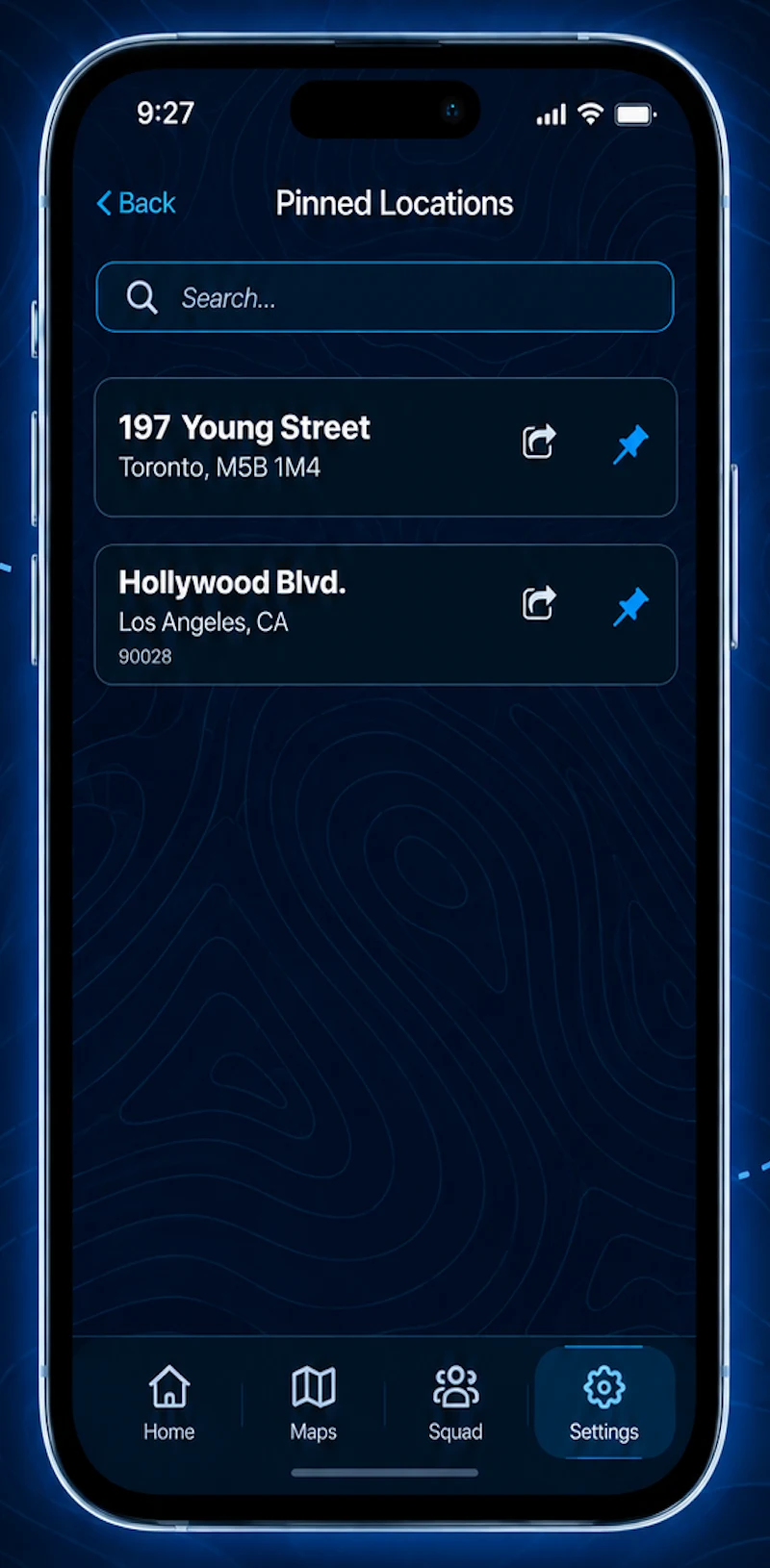
Pinned locations
Keep important places close.
Pin the locations you use often and find them again whenever you need them.
Pin the place
Save a location you use often with a single tap.
It keeps the details
The street address and city are saved with every pin.
Search your pins
Find any saved place fast, even with a long list.
Share it in a tap
Send a pinned location to anyone who needs it.
Privacy and control
Your location, on your terms.
Where you are is personal. Ten20 keeps sharing private and in your hands.
- Squad Rooms are private and joined by code
- Room sharing is time-limited
- You choose who sees your location
- Share only when you decide to
Ten20 FAQ
The questions people ask first.
What it shows, how sharing works, and where Ten20 fits.
What does Ten20 show me?
Your exact current address, GPS latitude and longitude, GPS accuracy, a live compass heading, and your elevation, all on one screen.
Is Ten20 a navigation app?
No. Ten20 does not give turn-by-turn directions. It answers one question the instant you look: where am I right now. Then it gives you simple ways to share that location.
What is a three-word location code?
A unique three-word label for your exact spot, generated with the what3words API. Every 3 metre square on earth has its own three words, so anyone can find that precise square without a street address.
How do I share my location?
Share your address, coordinates, or three-word code with anyone straight from the app. You can also share any pinned location in a tap.
How do Squad Rooms work?
Start a Squad Room and share its code. Everyone who joins appears live on one shared, private map, with a group chat built in. Sharing in a room is time-limited.
Can I save places I visit often?
Yes. Pin any location to keep its address handy, search your pins, and share them whenever you need to.
Does Ten20 work on Apple Watch?
Yes. Your current address and GPS coordinates are right on your wrist, with quick access to the map and sharing.
Always know exactly where you are.
Download Ten20 for iPhone and Apple Watch.
Download on theApp Store